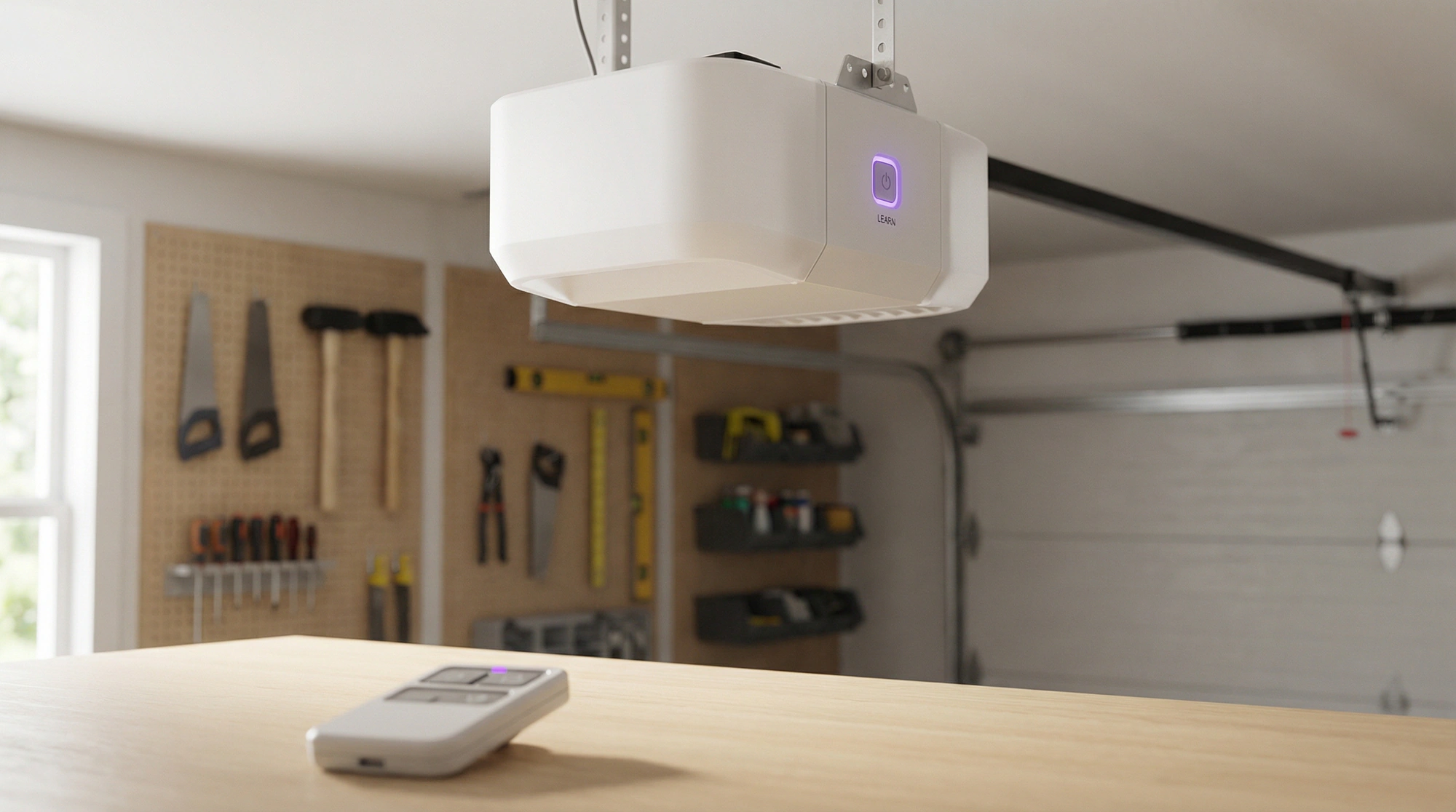
I get asked about programming garage door opener remotes more than almost anything else. Its one of those things that feels complicated but really isnt, once you understand whats actually happening inside that little plastic box clipped to your visor.
The problem is that most people dont understand it. They just press buttons randomly, get frustrated, and either call a technician or buy a new remote they dont need. Neither is necessary if you spend ten minutes learning how the system works.
Why Your Garage Door Opener Remote Stopped Working
Before you program anything, figure out why its not working in the first place. Nine times out of ten, its one of three things.
The garage door opener battery is dead. I know that sounds obvious but you would be amazed how many people skip this step. The batteries in most remotes last two to three years, sometimes longer if you dont use them much. If you press the button and the little LED doesnt light up, or lights up weak, thats your answer. Change the battery first before you do anything else.
The remote got unpaired somehow. This happens more than people realize. Power surges, accidentally holding down the wrong button combination, someone in your house hitting the “clear all” function on the motor unit. The remote is fine, it just needs to be reprogrammed.
The remote is actually broken. Dropped it in a puddle, ran it through the wash, the dog chewed it. At that point youre buying a new one anyway so programming is part of the deal.
The Learn Button Is Your Best Friend
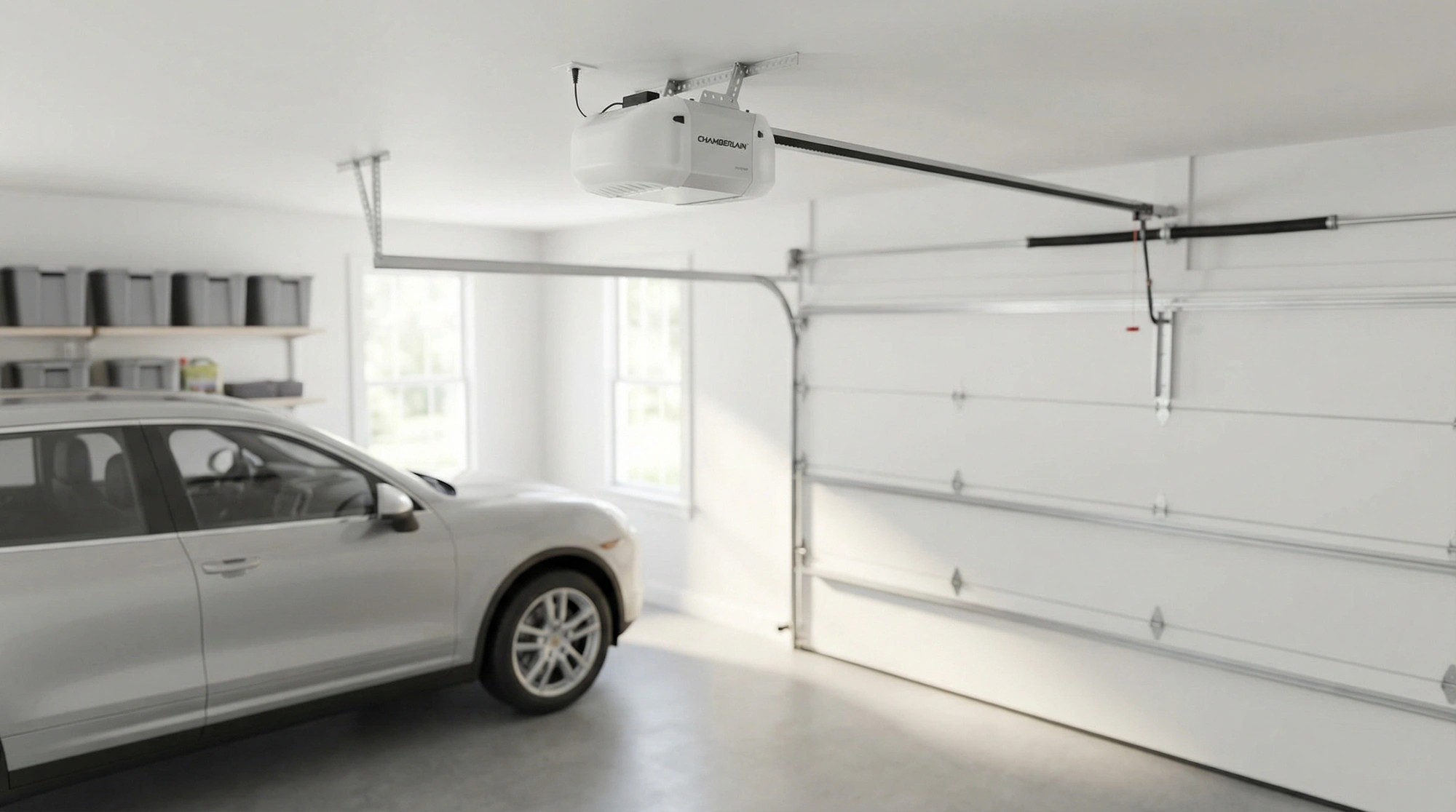
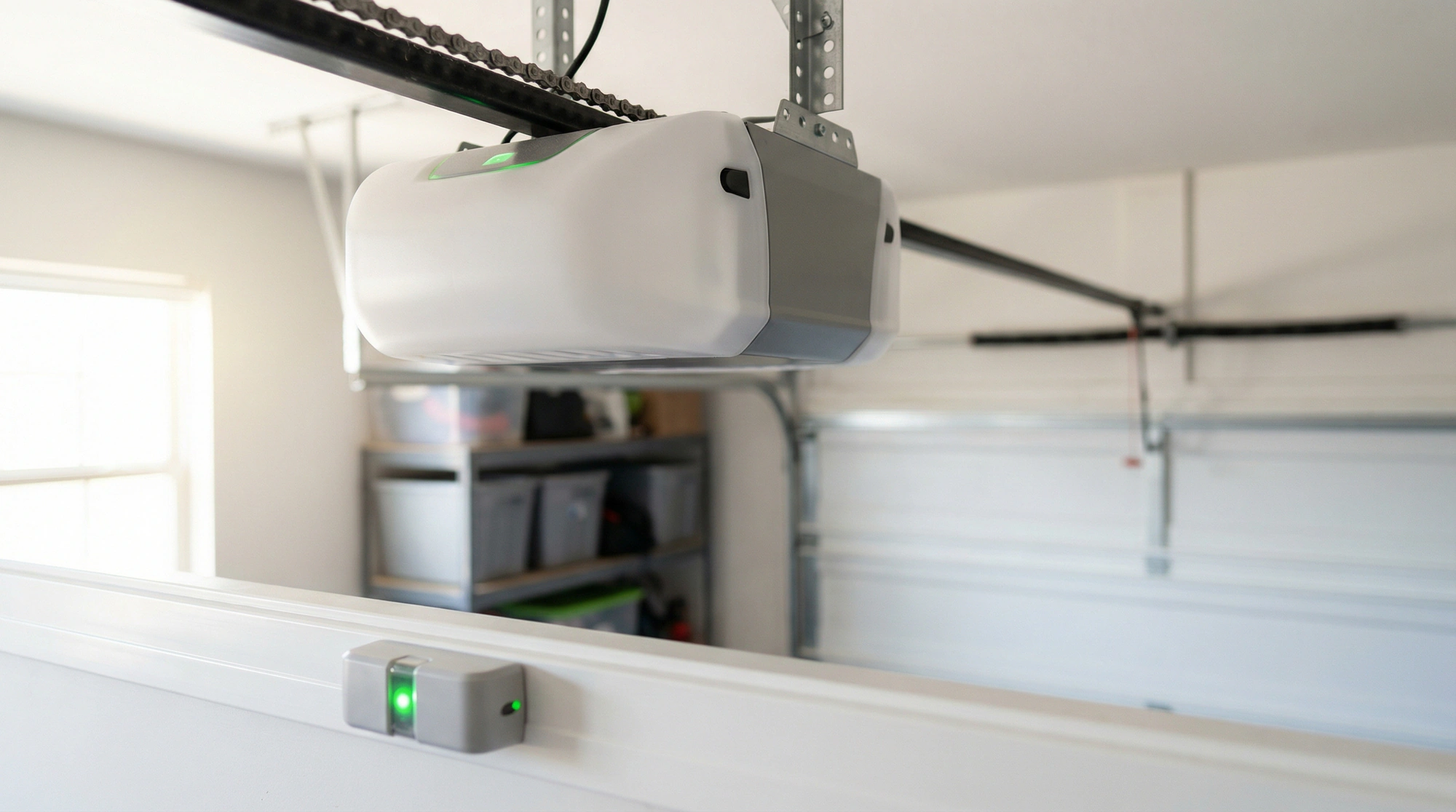
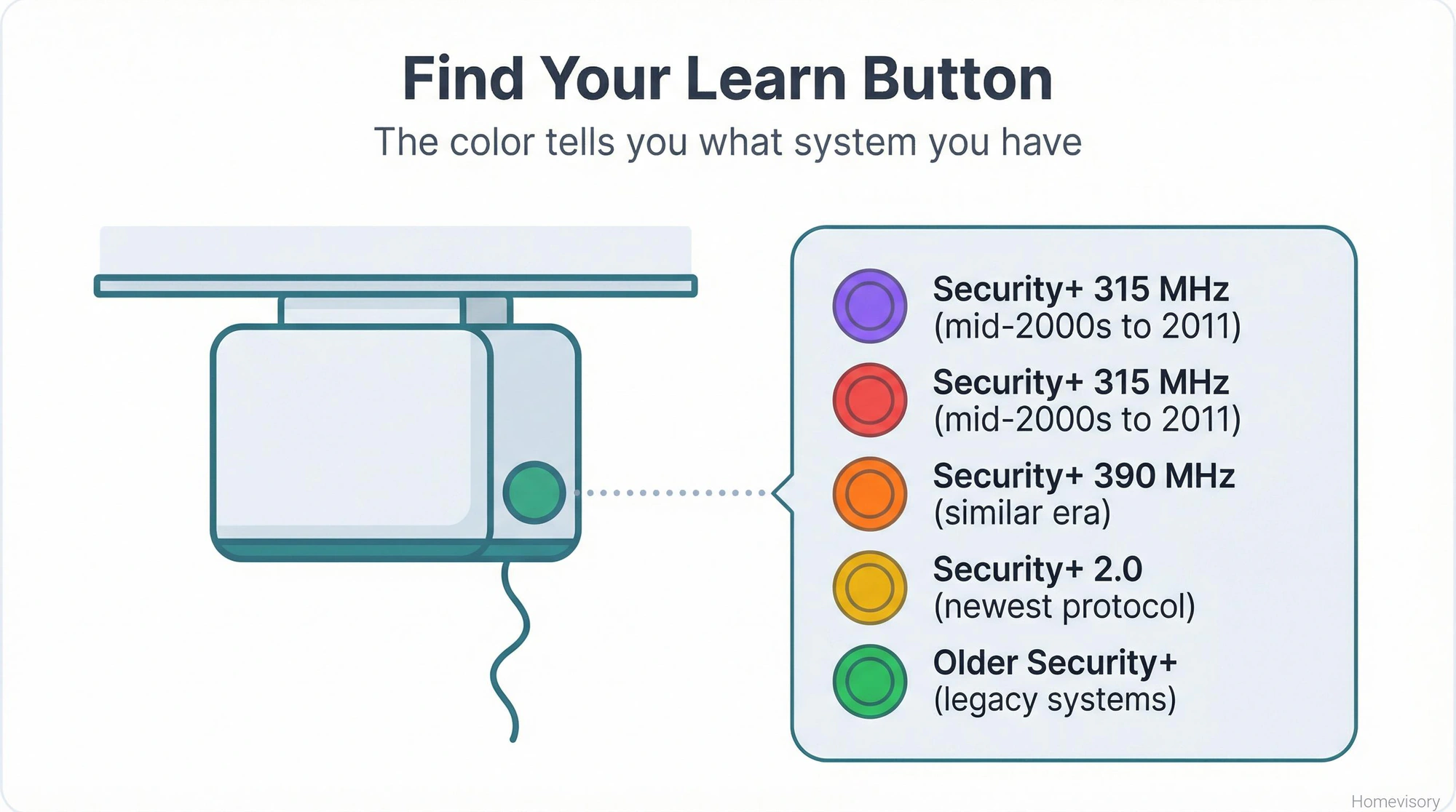
Every garage door opener made after 1993 has a learn button. Its usually on the back or side of the motor unit up on your ceiling. Could be red, could be yellow, could be purple, could be green. The color actually matters and I’ll get to that.
Heres the basic process that works for probably 80% of situations:
Get a ladder. Climb up to your motor unit. Find the learn button. Press it once. You’ll see a light come on or start blinking. You now have about 30 seconds to press the button on your remote. The opener light will flash or you’ll hear a click. Done.
Thats it for most remotes. The motor unit and the remote just had a conversation where they agreed on a code, and now they recognize each other. If that worked, congratulations, youre done, stop reading.
If it didnt work, keep reading.
Understanding Rolling Codes vs Fixed Codes
Mr. Davis, my woodshop teacher back in Atlanta, used to say if you dont understand how something works, you’ll never fix it right. He was talking about joinery but it applies to everything including garage door openers.
Old systems from the 1980s used fixed codes. There was a row of tiny switches inside the remote called DIP switches, and you set them to match the switches inside the motor unit. The code never changed. The problem was that there were only a few thousand possible combinations, so a thief with the right equipment could just cycle through codes until your door opened. The U.S. Consumer Product Safety Commission published safety requirements in 1993 that changed everything about how these systems work, and modern rolling code technology was part of that shift.
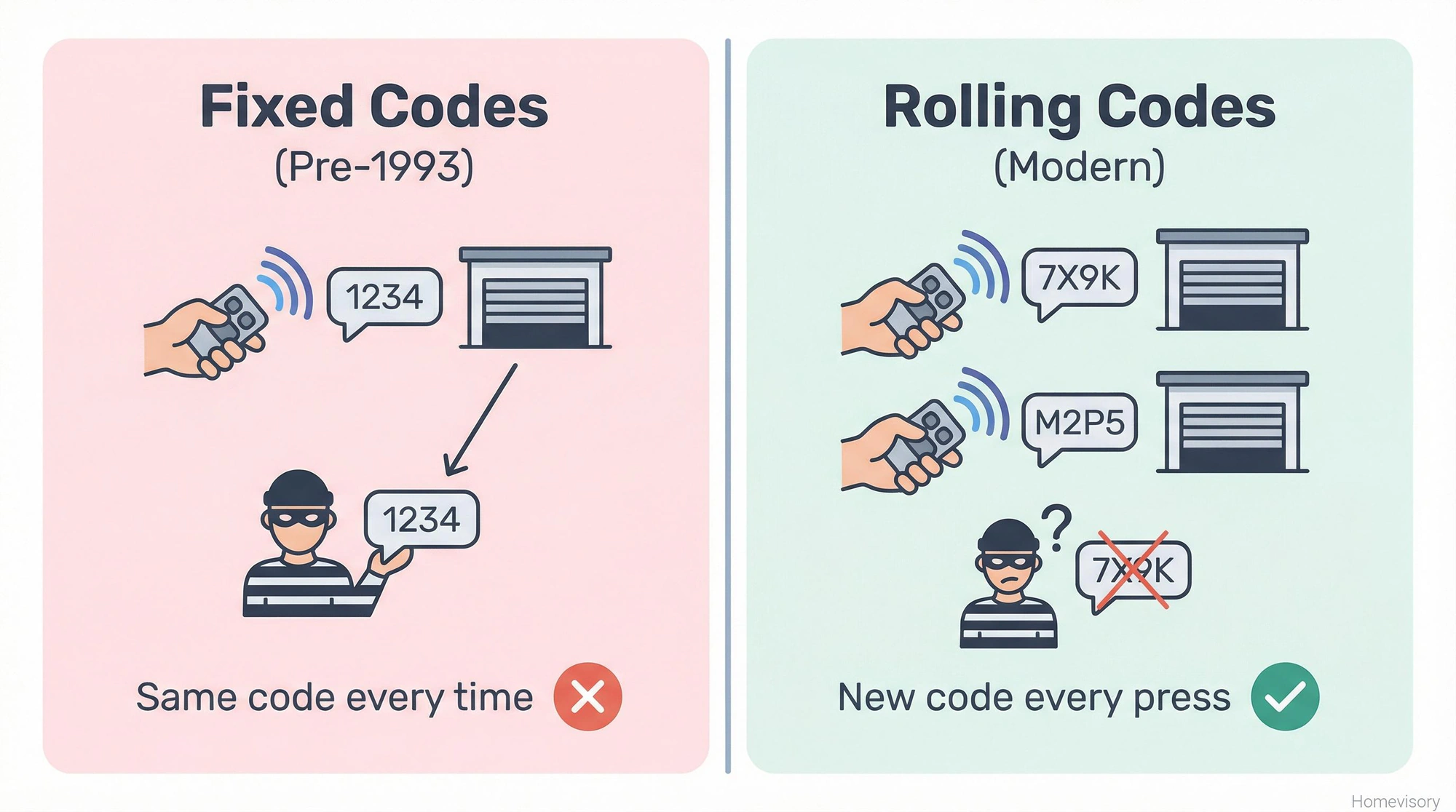
Rolling codes are different and this is where I probably care too much but I’ve seen what happens when people dont take garage security seriously. Every time you press your remote, the opener and the remote both generate a new code using the same algorithm, and thats the only code that will work for that single activation. Once its used, its dead, it will never work again. The next press generates a completely new code. A thief can’t intercept your signal and replay it because by the time they try, that code is already expired. The systems are constantly rolling forward to new codes, which is why they call it rolling code. LiftMaster calls theirs Security+, Chamberlain calls theirs Security+, Genie calls theirs Intellicode. Different names, same concept.
This matters for programming because if you have an older fixed-code system, you need to match DIP switches. If you have a rolling-code system, you need to use the learn button. Mixing them up is why people get frustrated.
How to Program a Garage Door Opener Remote by Brand
The color of your learn button tells you what type of system you have and what frequency it uses.
Purple or red learn button: Security+ 315 MHz. This is common on LiftMaster and Chamberlain units from the mid-2000s through about 2011.
Orange learn button: Security+ 390 MHz. Also LiftMaster and Chamberlain, similar era.
Yellow learn button: Security+ 2.0, which is the newer protocol. These are 310, 315, and 390 MHz capable.
Green learn button: Usually indicates an older Security+ system.
For Genie openers, look for Intellicode systems. The process is similar but the timing is different, you usually have to press and hold until lights blink a certain number of times.
I remember helping my dad Curtis program his garage door opener after he moved a few years back. He’s in his eighties now and his hands arent as steady, and he kept pressing the wrong button on the remote while I was up on the ladder waiting for him. I’d press the learn button and he’d fumble with the remote and miss the window and I’d have to climb down, reset everything, climb back up. We did this probably four times. He got frustrated with himself and I told him it was fine, the ladder was good exercise. Anyway.
Universal Garage Door Opener Remotes
A universal garage door opener works with multiple brands, which is convenient if you have two garage doors from different manufacturers or if you move into a house and dont know what brand the opener is.
The good ones, and I mean the ones that actually work reliably, are made by companies like Chamberlain, Genie, and a few others. They cost between $25 and $50 depending on features.
The bad ones are those $8 remotes you find online that claim to work with everything. I’m not going to name names but youve seen them. They show up from overseas, the instructions are translated poorly, and half the time they dont even support rolling codes properly. Which means either they wont work at all, or worse, they only work because theyre broadcasting a fixed code that any thief can intercept.
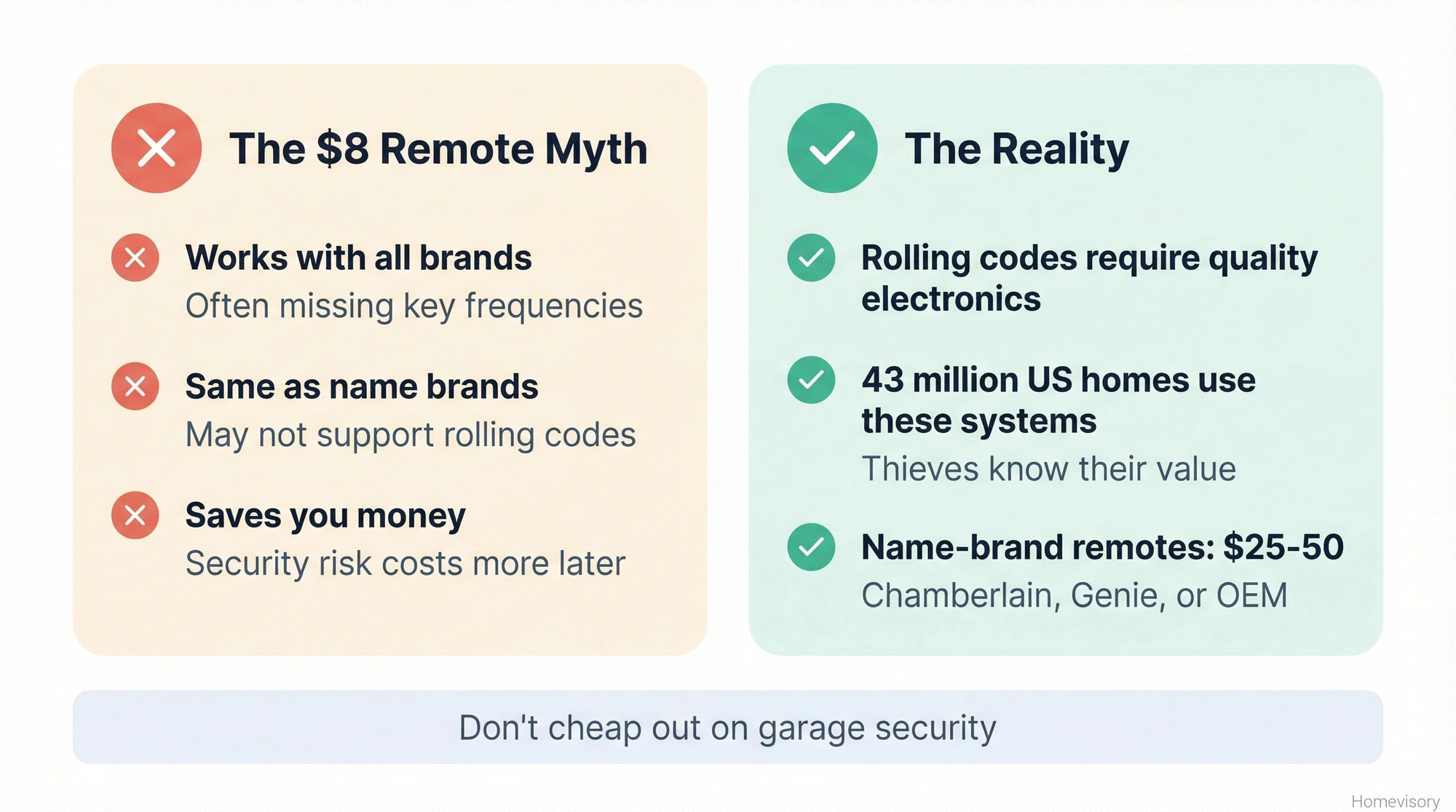
Its not worth it. More than 43 million households in the United States use remote-operated garage door systems, which means thieves know exactly how valuable garage access is. Dont cheap out on the remote.
Programming a universal garage door opener remote usually involves a few extra steps. You typically have to tell the remote what brand and frequency to use before you do the learn button dance. The instructions vary by model but the general flow is:
- Find the brand/frequency code in the manual
- Enter that code into the remote
- Press the learn button on your motor unit
- Press the button on your universal remote within 30 seconds
- Test it
If it doesnt work, you might have the wrong frequency code. Try the next one on the list for your brand. This is where people give up but its usually just trial and error.
Programming Your Keypad
Keypads are the same basic concept as remotes, they just need to learn the motor unit’s rolling code.
Most keypads require you to press the learn button on the motor unit, then enter a four-digit PIN on the keypad followed by the enter button. The motor unit confirms with a click or a light flash.
Some keypads want you to enter the PIN twice during setup. Some want you to hold the enter button for a specific number of seconds. Read your specific model’s instructions because they vary more than remotes do.
One thing I see people mess up is the temporary PIN feature. Most keypads let you create a one-time code that expires after a set period, which is useful if you have a contractor coming while youre at work. But people set that up and then forget which code is temporary and which is permanent. Keep track of your codes somewhere.
When to Just Buy a New Remote
If your remote is more than 15 years old and uses fixed codes (DIP switches), replace it. Not because it wont work but because its a security risk. The technology has gotten better and your remote hasnt.
If your remote has been through the washing machine, just buy a new one. I know a guy who dried his out on the dashboard and it worked for another three months before it died completely. Not worth the uncertainty.
If you’ve tried programming six times with the exact right process and it still wont pair, the internal electronics might be damaged. Remotes cost $20-40 from the manufacturer. Professional troubleshooting costs $75-150 for a service call. The math is obvious.
The Battery Situation
The garage door opener battery in your remote is almost always a CR2032 coin cell, or occasionally a 12V A23 for older units. Its a battery. You know how to change a battery. Pop the back off, note which way the positive side faces, put the new one in the same way.
If youre not sure what battery you need, take the old one to the hardware store. Moving on.
Safety Stuff I Have to Mention
The CPSC reports that since 1982, dozens of children have died from entrapment under automatic garage doors, which is why the 1993 regulations require reversing features on all residential openers. When you program a new remote or keypad, test the safety reverse. Put a 2x4 flat on the ground under the door and close it. The door should reverse when it touches the wood. If it doesnt, you have a bigger problem than remote programming.
Also keep remotes out of reach of kids. This sounds obvious but my son Richard went through a phase around sixteen where he thought it was hilarious to open the garage door while driving away, and Raquel found it less hilarious when she walked out to find the garage wide open at 11 PM. Multiple times. I eventually just deprogrammed his remote until he learned some responsibility.
Over 1,600 injuries occur annually in the US due to garage door repair and maintenance, and a lot of those are people doing things they shouldn’t, like trying to adjust spring tension or working on the motor unit while its plugged in. For remote programming, just make sure your ladder is stable. You dont need to touch anything dangerous.
Smart Openers and App-Based Controls
Im not getting deep into this because its a whole different article. According to industry data, over 58% of newly installed garage door openers now have smart features, so if youre buying new, you’ll probably end up with WiFi capability whether you want it or not.
If you already have a smart opener and want to add phone control, thats really more of an IT question than a garage door question. Download the app, create an account, follow the pairing instructions. If that doesnt work, call your IT nephew. Thats what I do when Milton’s smart home stuff stops working.
What to Do If Nothing Works
Youve changed the battery. Youve pressed the learn button. Youve tried multiple remotes. Still nothing.
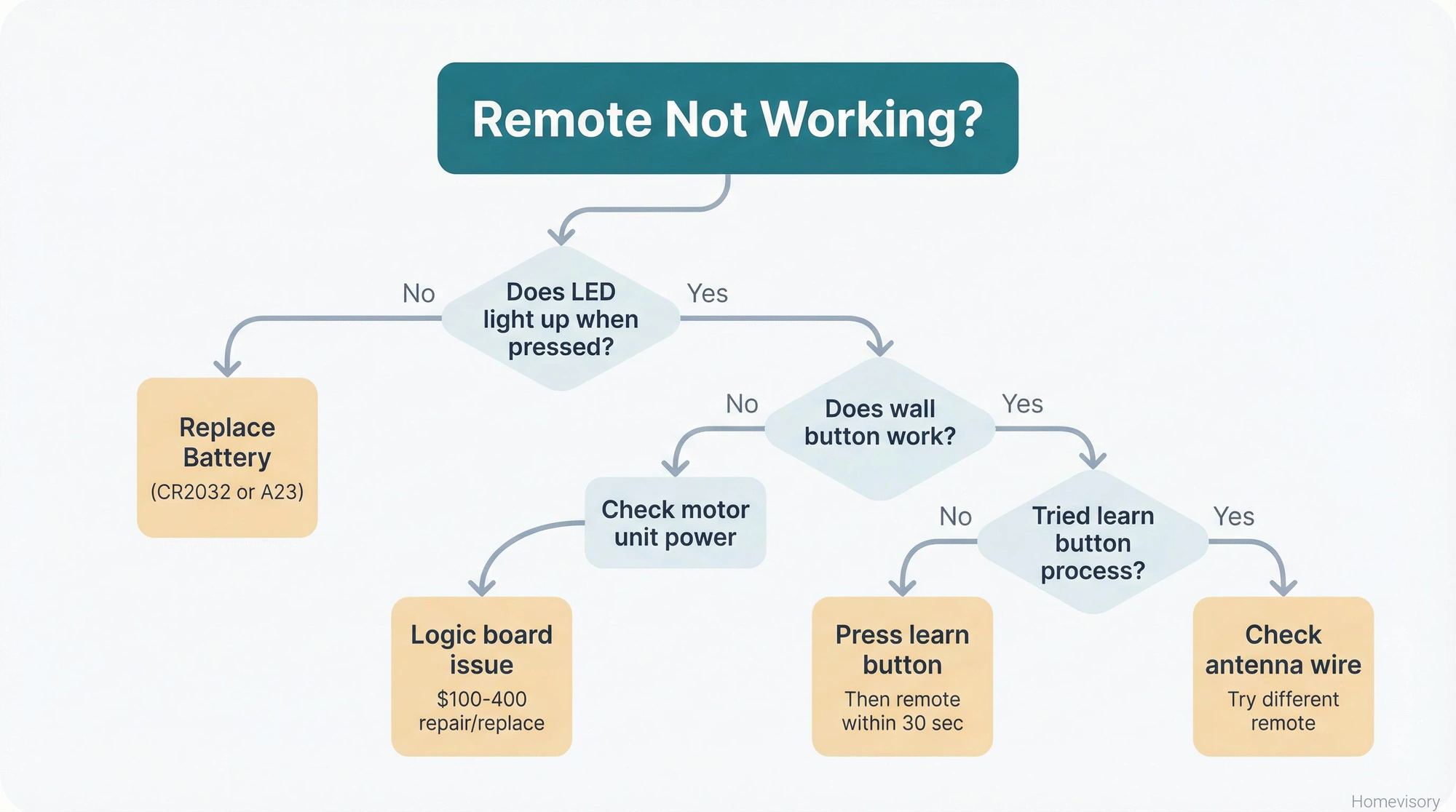
Check if the motor unit has power. Is the light working? Can you operate the door from the wall button? If the wall button works but no remotes work, the antenna wire might be damaged or disconnected. Its that thin wire hanging down from the motor unit. Make sure its attached and not cut.
If the wall button doesnt work either, you might have a logic board failure in the motor unit. At that point youre looking at either replacing the board or replacing the whole opener. A board runs $100-150 plus installation. A new opener typically runs $300-900 installed, depending on features.
Get a quote before you decide. Sometimes its only $50 more to get a whole new unit with warranty versus patching an old one.
Programming a garage door opener remote is one of those tasks that seems complicated until you do it once. After that, you’ll wonder why you ever stressed about it.
Heres the short version: find the learn button, press it, press your remote, done. If that doesnt work, check your battery. If that doesnt work, make sure youre using the right type of remote for your system. If your opener itself is acting up, not just the remote, my garage door opener repair guide covers motors, sensors, and everything else that breaks.
Thats what we do here at Homevisory. We break down the stuff that seems intimidating and show you that most of it is completely manageable. Our Homevisory home task manager can remind you when its time to test your garage door safety features, replace remote batteries, and handle all the other maintenance tasks that keep your home running smoothly. And if you want everything about garage doors in one place, our complete garage door guide has you covered.